Skip the line.
Get buzzed when it's ready.
Patrons order from their phone or a bar-top tablet. Every bartender device gets the order with the exact recipe, and the patron's phone buzzes when the drink is up. Nobody has to stand three-deep at the bar to get noticed.
Not a POS. No payments, no tabs. It just gets drink orders to your bartenders.

How it works
From tap to pour in four steps
Nothing to install behind the bar. You bring your phones or tablets, and patrons bring theirs.
Post your code
Put your bar's join QR code on tables, coasters, or the menu board. Patrons scan it to join your bar in the app.
Patrons tap to order
Patrons browse your specials on a full-screen tablet or on their own phone and tap the drink they want.
Every bartender sees it
The order appears instantly in the Orders screen on every bartender device, with ingredients, measures, glass, garnish, and steps, so it's built the same way every time.
Ready? Buzz them.
The bartender taps Ready and the patron's phone buzzes. They walk up, grab the drink, and get back to their night.
What it looks like
A specials wall for patrons. A live ticket rail for staff.
The tablet shows your specials full-screen for patrons to tap. Bartenders get the Orders screen, which lists every drink and exactly how to make it.
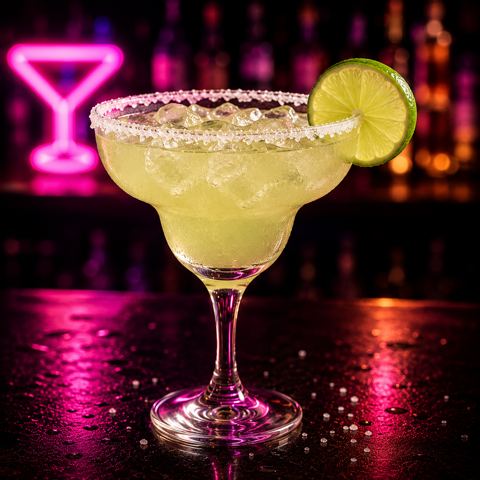
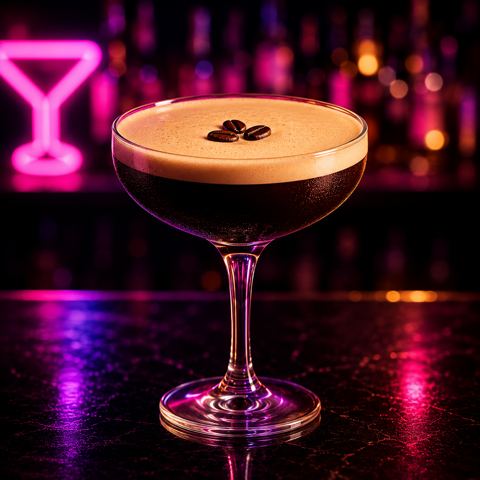
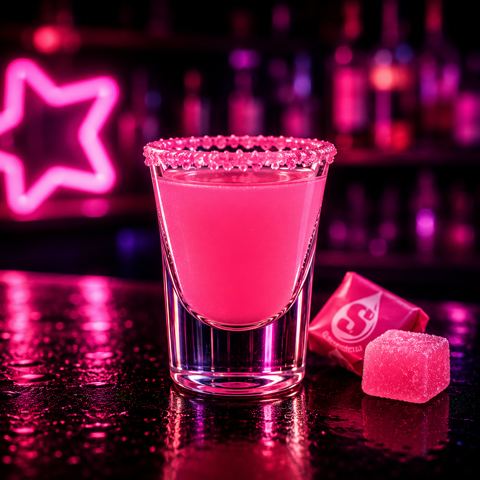
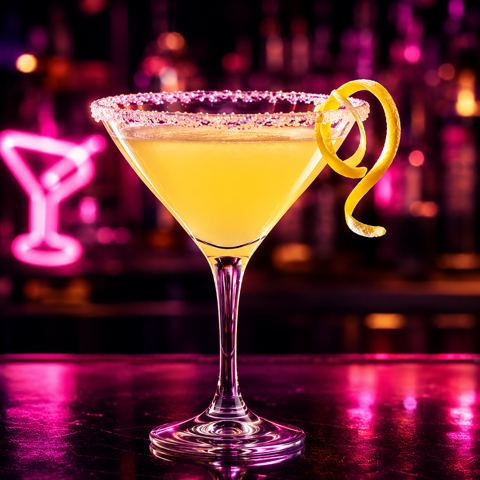
- 2 oz blanco tequila
- 1 oz fresh lime juice
- ¾ oz orange liqueur
- Shake hard with ice, strain
- 1½ oz vodka
- 1 oz fresh espresso
- ½ oz coffee liqueur
Features
Built for a busy bar
Liquid Candy starts as a consumer app with Candy, an AI mixologist. For bars, it adds ordering and routes each order to the people making the drinks.
Full-screen specials kiosk
Mount a tablet on the bar or a table. It shows your specials edge to edge, and patrons tap one to order.
One order, every device
Any number of bartender phones and tablets can watch the Orders screen at once, and each new order shows up on all of them.
The right build, every time
Each ticket carries the full recipe from the Candy catalog of 100 drinks. New staff pour it the same way as your veterans.
Buzz when it's ready
When the bartender marks an order Ready, the patron's phone buzzes. They can stay at their table until then.
Wi-Fi or cellular
Orders go through the cloud, so devices work on your Wi-Fi or on cellular. Guest-network isolation doesn't block them.
No new hardware
It runs on the iPhones, Android phones, and tablets you already have. There's nothing to wire into your register.
Keep your POS
This is not a point-of-sale system.
Liquid Candy only passes a drink order to your bartenders. Payment works exactly as it does today, with your register, your tabs, and your process.
- No payments. Liquid Candy never handles a card or cash.
- No tabs or checks. Your staff keep running those in your existing POS.
- Just the order. What the patron wants, who it's for, and how to build it.
- Your staff stay in charge. Bartenders decide what gets made and when.
FAQ
Questions bars ask
Do patrons need to download the app?
To order from their own phone, yes. Patrons need Liquid Candy for iOS or Android, which is in early access right now, so pilot bars get their patrons onboarded with us. A bar-top or table tablet doesn't need anything from the patron: they walk up and tap a special.
Does it take payment?
No. Liquid Candy isn't a POS and never touches payment. Patrons pay the way they do today, through your register, tabs, and staff.
What does it cost?
Pilots are free. We're looking for a small number of bars to shape the product with us. Reach out and we'll talk through what a pilot at your venue would look like.
What if our Wi-Fi drops?
Orders go through the cloud, not your local network, so phones and tablets keep working over cellular.
How does responsible service work?
Your bartenders still check ID and decide who gets served. An order is a request, not an obligation, and staff can decline it. The Liquid Candy app is for adults 21 and over.
Can we put our own drinks on the tablet?
You choose which drinks appear on the tablet from the 100-drink Candy catalog, and you can change them any time from a bartender device. Custom house recipes are next on the list, and pilot bars help shape how they work.
Pilot program
Want shorter lines at your bar?
Tell us a little about your venue and we'll get back to you about running a free pilot.
Or email asglines@gmail.com